Labs · by arvlabs · Free
RecordMac.
A free screen, webcam and audio recorder for Mac.
Download for Mac1.0.0 · 2.2 MBmacOS 15 Sequoia or later · Apple silicon or Intel
Features
- Record a window, an area or the whole screen. Window recordings follow the window.
- Webcam bubble with shape, size and border colour.
- Webcam-only recordings, and audio-only recordings (microphone and/or computer audio).
- Countdown, pause, click highlights, and customisable keyboard shortcuts.
- Preview with trim, rename, GIF export and share.
Privacy
RecordMac doesn’t collect any data. Recordings stay on your Mac in Movies › RecordMac. The only network request is a daily check of a small version file on arvelie.com, which you can turn off in Settings.
Install
RecordMac isn’t notarized by Apple yet, so macOS asks you to allow it twice: once for the .dmg and once for the app. After that it opens normally.
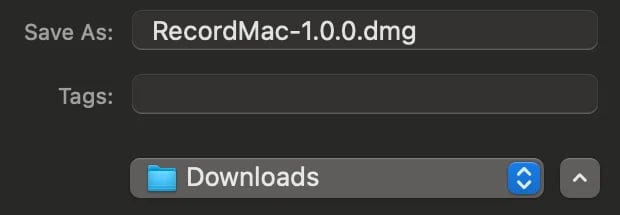
1Download RecordMac and open the .dmg.
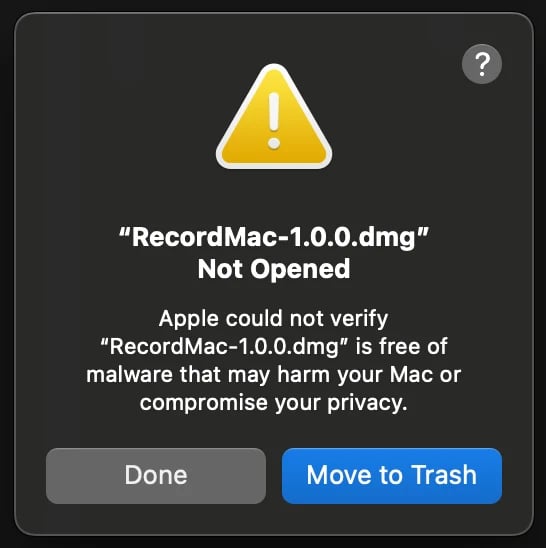
2macOS says it can’t verify RecordMac. Click Done.
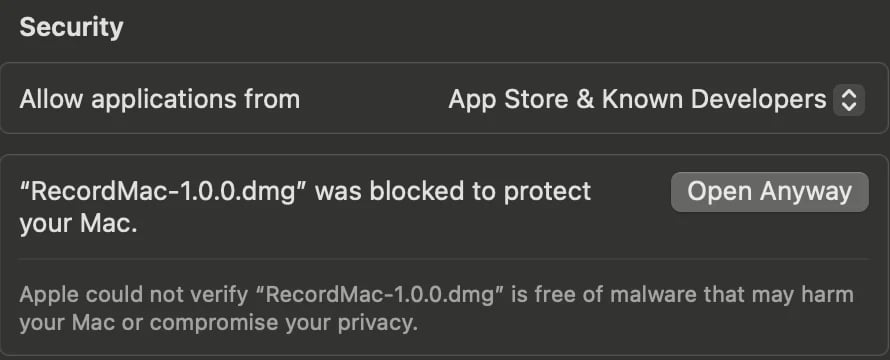
3Open System Settings › Privacy & Security, scroll down to Security, and click Open Anyway.
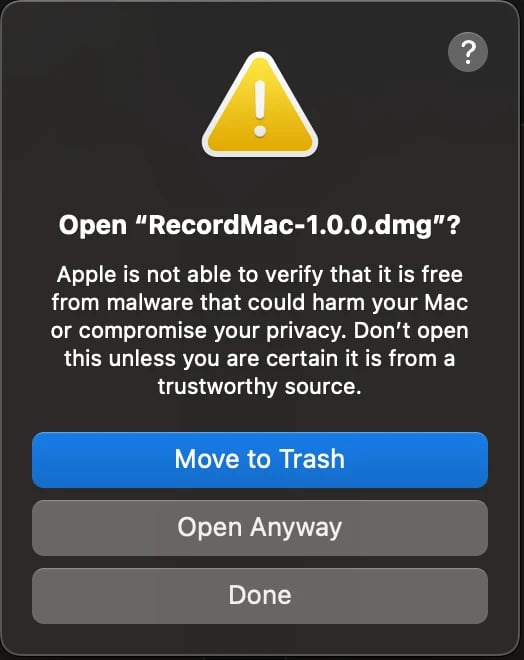
4Click Open Anyway again to confirm.
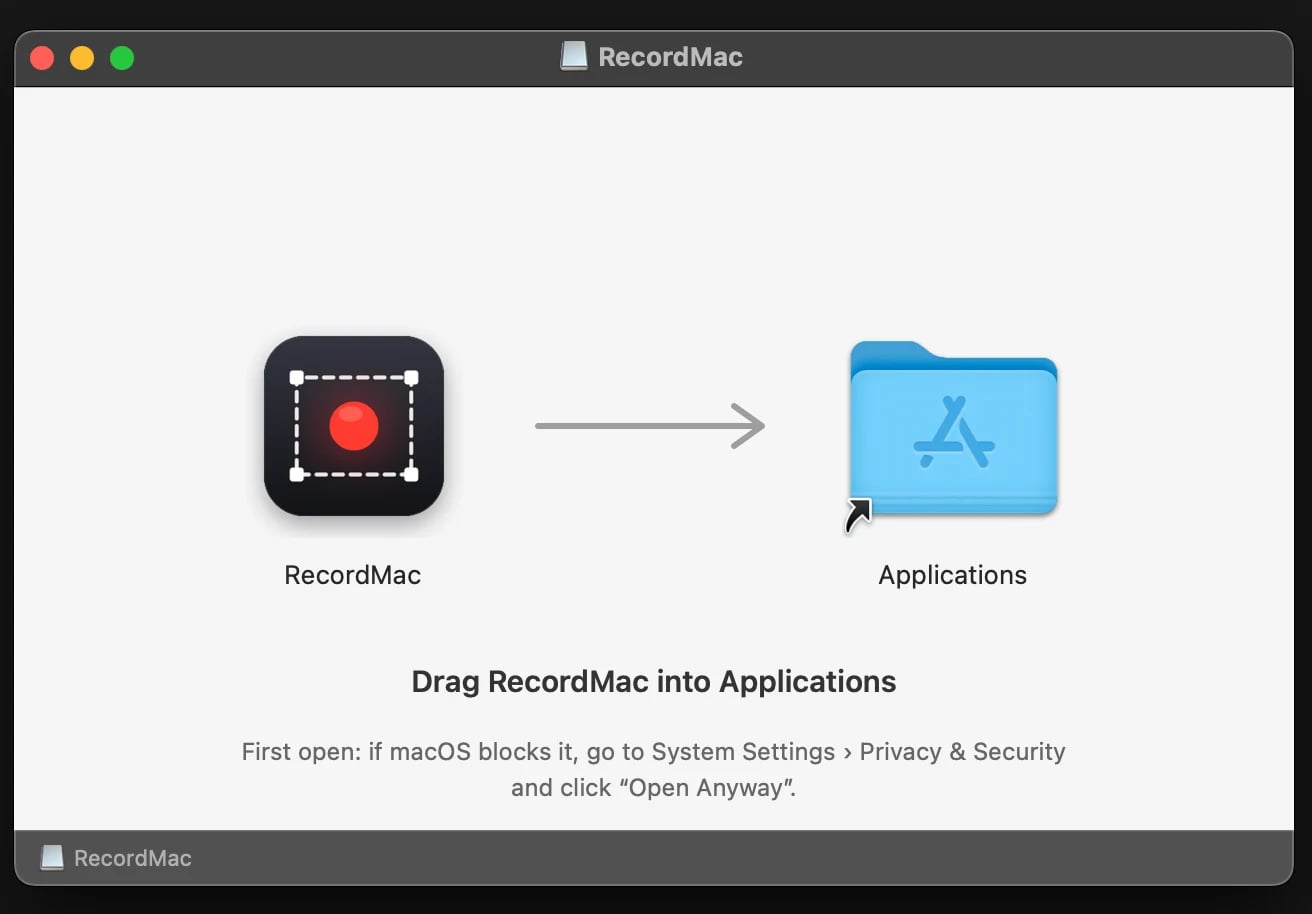
5Drag RecordMac into Applications, then open it. macOS blocks the app the first time too, so repeat steps 2 to 4 for RecordMac.
On first launch RecordMac asks for Screen Recording access, plus Microphone and Camera if you use them. After allowing Screen Recording, quit and reopen RecordMac when macOS asks.
RecordMac is free. If it’s useful to you, support RecordMac by arvlabs on Ko-fi.