04 CRM OnlineEnterprise / Product / UX
Fieldmagic
Field service software for compliance-heavy trades. I designed the web app's UI, onboarding, and CRM screens, and the marketing site.
Visit fieldmagic.co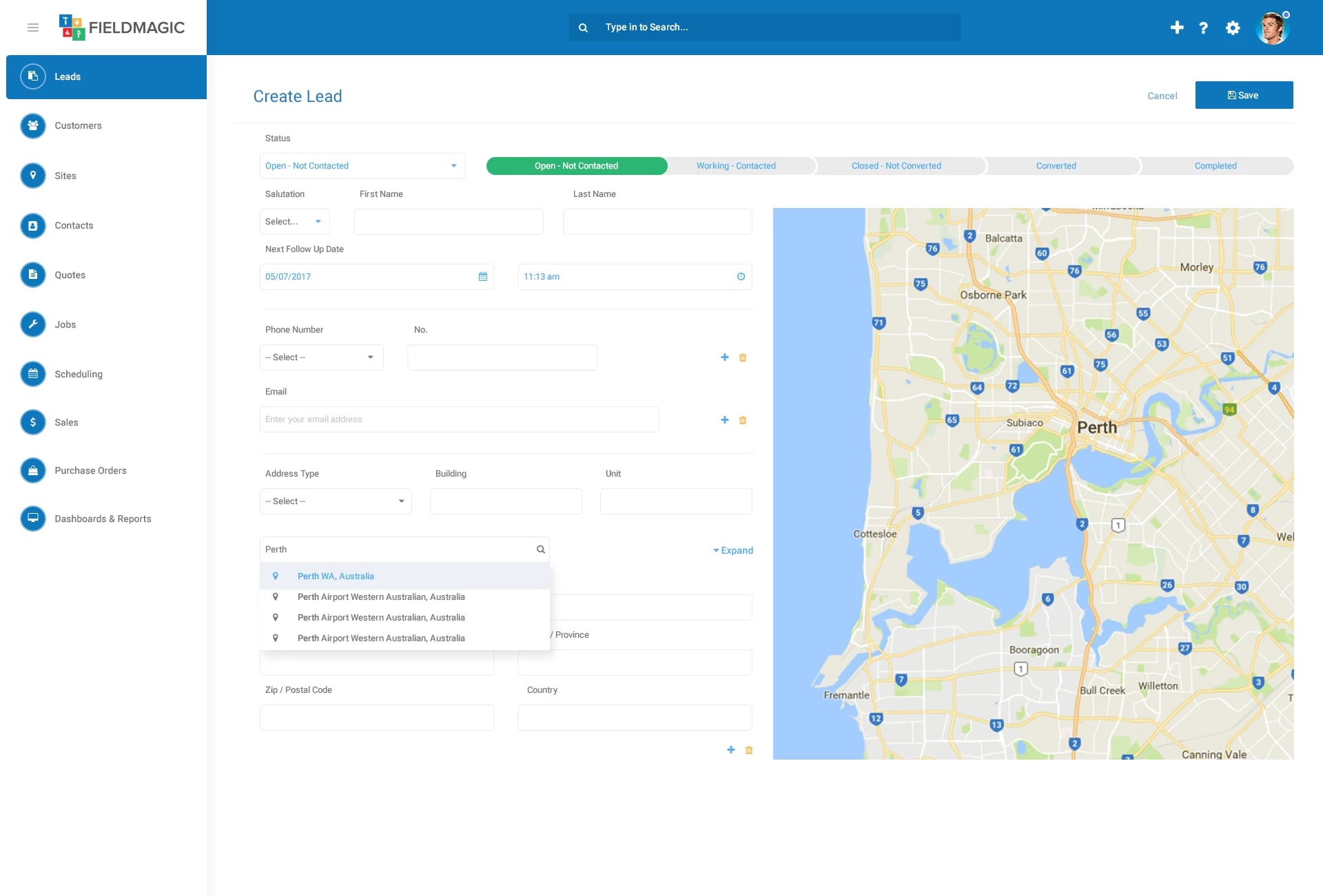
Overview
Fieldmagic is field service management software from CRM Online, built for compliance-heavy trades such as fire protection, HVAC, plumbing, electrical, and security. It brings CRM, quoting, job scheduling, maintenance, and invoicing into one platform, on the web and on a mobile app technicians can use offline in the field.
While working as a web and graphic designer at CRM Online, I designed the UI for the Fieldmagic web application, along with the product's marketing website.
The Challenge
Field service software covers a lot of ground: leads, customers, sites, contacts, quotes, jobs, scheduling, sales, purchase orders, and reporting all live in one product.
The people using it work in different ways, too, from building managers handing work to subcontractors to service providers running site-based or GPS-based jobs. The interface had to keep that breadth manageable for each of them.
My Role
I designed the web application's UI and worked with the development team on implementing design standards, so what shipped stayed true to the designs. The work covered:
- The sign-up and onboarding journey
- Plan selection and the free trial
- CRM screens for leads, lead records, and lead creation
- Shared UI patterns used across the app
- The Fieldmagic marketing website
Getting Started
Sign-up opens with a choice of logging in through Facebook, Google, Microsoft, or LinkedIn, or with a username and password.
A short three-step setup follows. Its key question asks what best describes the organisation (a building manager, a service provider doing site-based jobs and quotes, or one working by GPS location) so Fieldmagic can be configured to match how that team actually works.
The last step lays out four plans side by side, each with a 14-day free trial, so teams can start right away.
Working with Leads
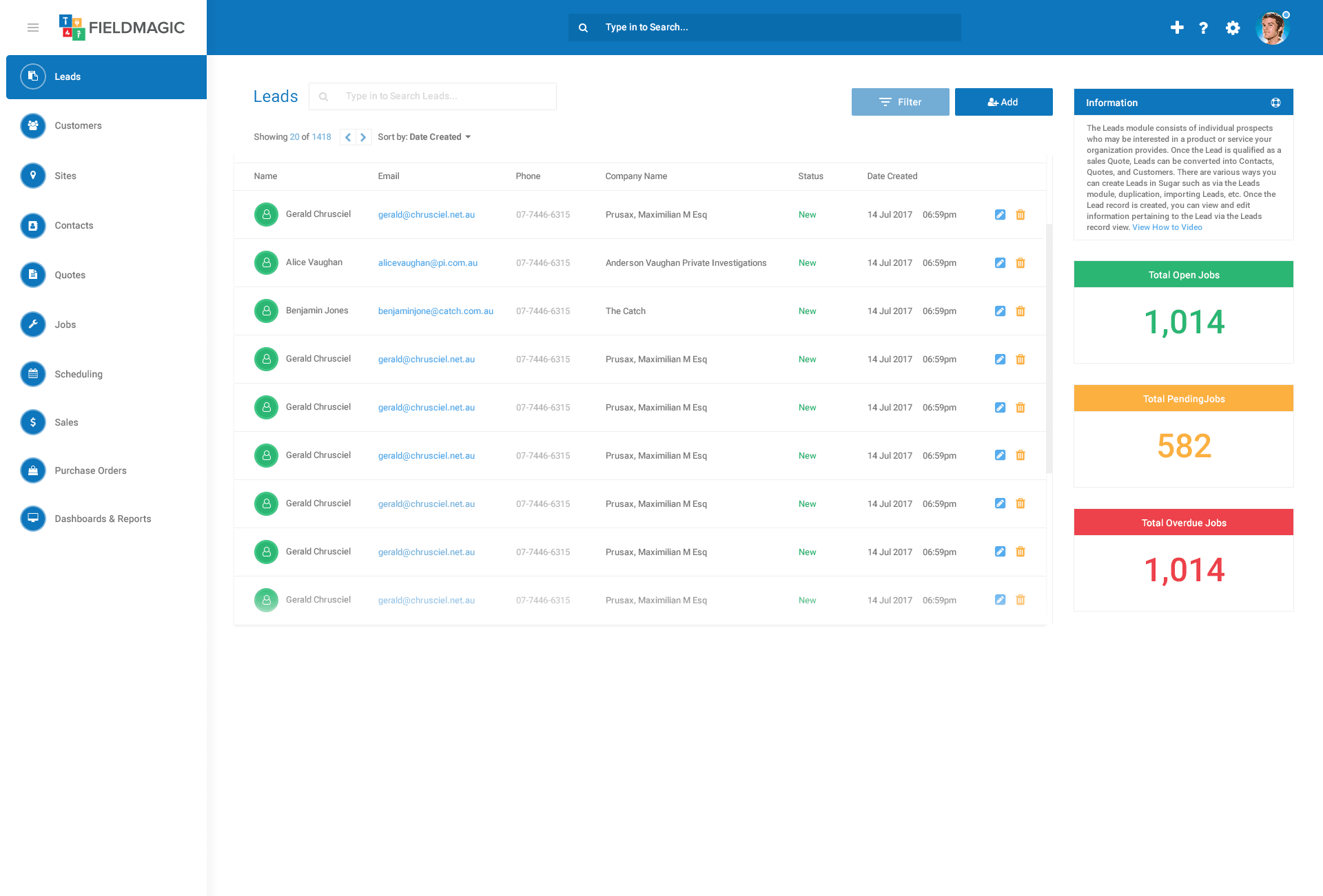
The leads list pairs a searchable, sortable table with summary cards for open, pending, and overdue jobs, so the state of the business is visible without leaving the page.
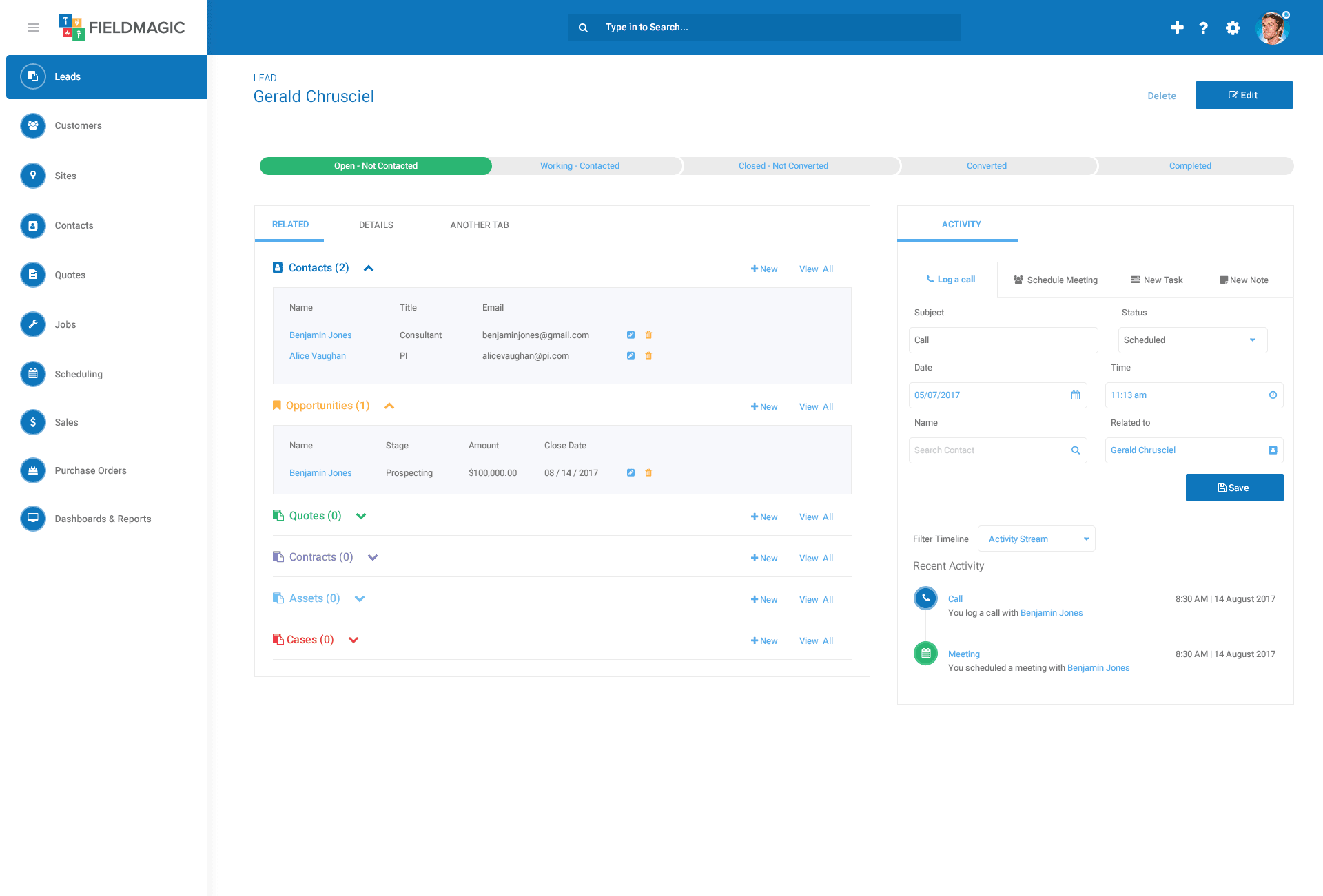
Creating a lead puts its status pipeline at the top of the form and links the address search to a live map. A lead record keeps the same pipeline, groups related contacts, opportunities, quotes, contracts, assets, and cases on one side, and gives activity its own panel for logging calls, meetings, tasks, and notes against a running timeline.
One Consistent System
Every module shares the same frame: a persistent side navigation, a global search in the header, and colour-coded groups for related records. Once someone learns one part of Fieldmagic, the rest feels familiar.
Where It Is Today
Fieldmagic is still live at fieldmagic.co, years after I designed it, supporting field teams across Australia, the United Kingdom, the United States, Canada, and New Zealand.